




































Geometry Vibes - Play Free Online Unblocked
Geometry Vibes is a rhythm-first spin on Geometry Dash where music drives everything. Every obstacle, jump, and visual effect locks to the beat, and a dedicated Vibe Mode adds on-screen pulse indicators so you can actually see the rhythm you are playing to. Play Geometry Vibes unblocked free right here on geodashfree.com with no download needed. Works on desktop, mobile, and Chromebook.
What is Geometry Vibes?
Geometry Vibes takes the core Geometry Dash formula (one-button platforming through spike-filled obstacle courses) and rebuilds it around the soundtrack. In regular Geometry Dash the music is background decoration. Here the music is the level design. Obstacles appear on the beat. Platforms fall on the beat. The background colors shift when the bass drops. If you have played Geometry Dash or its spin-offs like Meltdown and Subzero, the one-tap mechanics will feel familiar. The difference is that Geometry Vibes rewards musical timing rather than memorization alone.
The game includes multiple curated soundtracks across genres: lofi hip-hop, electronic, synthwave, dubstep, chillwave, and drum and bass. Each level pairs a specific track with a specific set of obstacles so that the difficulty and the tempo move together. Slower tracks give you more room between hazards; faster tracks compress the timing windows. You pick the vibe that fits your mood and skill level.
How to Play Geometry Vibes
The controls are simple. The challenge is rhythm.
- Jump: Space, Up Arrow, or Left Click on desktop. Tap anywhere on mobile.
- Fly (ship and UFO sections): Hold the jump button to rise, release to descend. The engine hum changes pitch with altitude so you can hear whether you are climbing or dropping.
- Vibe Mode toggle: Press V (or the on-screen button on mobile) to enable or disable visual beat indicators. When enabled, translucent pulses flash across the screen on every beat so you can time jumps to the rhythm instead of relying on visual memorization alone.
- Restart: Press R to instantly reset the current section. In Vibe Mode the beat track stays in sync even after a restart, so you never lose the groove.
The key mechanic is that every spike, portal, and platform in Geometry Vibes is placed on a beat or half-beat in the soundtrack. If you tap in rhythm you will clear most sections on your first try. If you fight the tempo you will get punished by the gaps between obstacles that expect a specific beat timing.
Geometry Vibes Game Modes
Vibe Mode
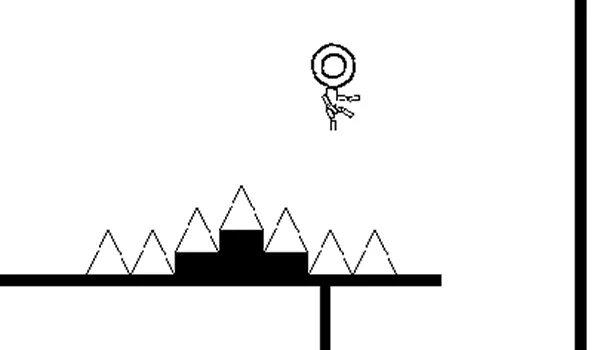
This is the signature mode and the reason most people search for "geometry vibes" in the first place. Vibe Mode overlays pulse indicators that flash in time with the music. When the bass hits, a translucent ring expands from your cube. When a snare fires, the edges of the screen pulse. These cues are not cosmetic. They mark the exact moment you should jump, and they make sections that look impossible on paper become playable once you learn to trust your ears.
I would recommend turning Vibe Mode on for your first playthrough of any level. You can disable it once you have internalized the beat pattern and want a cleaner visual.
X Ball Mode
Geometry Vibes X Ball is a shorter challenge mode where your cube converts into a ball that falls with gravity and bounces off surfaces. The ball sections demand precise hold-and-release timing because you are managing both horizontal speed and vertical bounces while the beat keeps pushing you forward. X Ball levels use faster tracks with more complex rhythms so the difficulty ramps quickly.
X Arrow Mode
Geometry Vibes X Arrow switches the physics to arrow-flight mode. Your character launches in a direction and you tap to redirect it through narrow corridors of spikes. The arrow moves at a constant speed relative to the tempo, so faster songs mean tighter corridors and shorter reaction windows. X Arrow mode is where the game feels most like a rhythm game in the traditional sense because every input is a direction change on a beat.
3D Mode
Geometry Vibes 3D adds a perspective shift to the classic 2D gameplay. You are still tapping to the beat, but the camera rotates around the track so obstacles come from different angles. The depth cues actually help with timing because you can see the visual arc of each jump in three dimensions. If you enjoy this mode, also check out Geometry Dash 3D for a full 3D platforming experience.
The Soundtracks
The music is the entire point of this game, so here is what you will actually hear. Each level ships with a single track selected to match its obstacle layout. The genres break down roughly like this:
| Genre | Typical BPM | Difficulty Vibe |
|---|---|---|
| Lofi hip-hop | 70-90 | Relaxed, good for learning |
| Chillwave | 85-105 | Mellow but with tricky syncopation |
| Synthwave | 100-120 | Steady four-on-the-floor, great for intermediates |
| Electronic | 120-140 | Fast, lots of double-beat sections |
| Drum and bass | 140-170 | Aggressive, for experienced players |
| Dubstep | 70-140 (half-time drops) | Sudden tempo changes, keeps you guessing |
Start with the lofi tracks if you are new. The slower tempos give you breathing room between hazards and the syncopation is gentle enough that you can learn to feel the beat without getting overwhelmed. Save the drum and bass tracks for when you have beaten everything else and want a real test of whether your rhythm actually holds up at speed.
Tips to Master Geometry Vibes
- Wear headphones. Not optional if you are serious about clearing levels. The bass line carries half the timing information and phone speakers swallow it entirely.
- Turn on Vibe Mode first. The visual pulses are training wheels for your ears. Once a level "clicks" and you can feel the beat without the indicators, turn them off for a cleaner view.
- Learn one level at a time. Pick a track you actually enjoy listening to and replay it until your fingers know the rhythm by muscle memory. Spreading practice across five levels means you learn none of them.
- Watch the background. Color shifts and particle bursts mark structural changes in each song. A sudden drop in the visuals usually means a harder section is about to start, giving you a fraction of a second to prepare.
- Do not spam-click. Tapping faster than the beat causes you to arrive at hazards early. Slow down and trust the tempo. Most missed jumps happen because players are ahead of the music, not behind it.
- Restart ruthlessly. The R key exists for a reason. If you lose the groove on a section, reset and get back on the beat rather than struggling through desynchronized.
Play Geometry Vibes Unblocked
You can play Geometry Vibes unblocked right here on geodashfree.com from any device and any network. School Chromebook, work laptop, iPhone, Android phone, or tablet. No download, no sign-up, no extensions. The game loads in your browser and runs at full speed with audio. If you are on a school or work network that blocks game sites, try geodashfree.com because the site is not on most standard block lists.
This is the complete version of the game, not a demo. All levels, all game modes (Vibe Mode, X Ball, X Arrow, and 3D), and all soundtracks are available from the start.
Similar Games You Might Enjoy
If you like rhythm platforming, these free games on geodashfree.com use similar one-tap or music-driven mechanics:
- Geometry Dash - The original. Classic one-tap platforming through spike-filled levels.
- Geometry Dash Meltdown - Three intense levels with F-777 soundtracks. Harder than the base game.
- Geometry Dash Subzero - Icy spin-off with slick winter visuals and three winter-themed tracks.
- Geometry Dash Breeze - The closest sibling to Vibes. Softer difficulty curve and smoother soundtracks.
- Geometry Dash 3D - Full 3D perspective on the classic Geometry Dash formula.
- Tunnel Rush - Fast-paced corridor runner with color-matching mechanics and a pounding soundtrack.
- B-Cubed - Cube-rolling puzzle platformer with spatial reasoning challenges.
Geometry Vibes FAQ
Is Geometry Vibes free to play?
Yes. Geometry Vibes is completely free on geodashfree.com. No payments, no accounts, no downloads. Open the page and play.
Can I play Geometry Vibes unblocked at school?
Yes. geodashfree.com is not on most school or work network block lists, so you can play Geometry Vibes unblocked on any device including school Chromebooks.
What makes Geometry Vibes different from regular Geometry Dash?
Two things. First, Vibe Mode adds on-screen beat indicators that pulse with the music so you can see the timing you need to hit. Second, every obstacle placement in Geometry Vibes is mapped to a specific beat or half-beat in the soundtrack, which means playing in rhythm is more rewarded than memorizing layouts. Regular Geometry Dash uses music as atmosphere. Geometry Vibes uses music as level design.
What is Vibe Mode?
Vibe Mode is a toggle that overlays visual pulse indicators on the screen. Translucent rings expand from your character on every beat, and the screen edges flash on snare hits. These cues tell you exactly when to jump. Once you learn a level's rhythm you can turn Vibe Mode off for a cleaner view.
What is Geometry Vibes X Ball?
X Ball mode converts your character into a gravity-affected ball that bounces off surfaces. You hold and release the jump button to control bounce height while the beat pushes you forward. The ball physics add a vertical timing layer on top of the horizontal rhythm timing.
What is Geometry Vibes X Arrow?
X Arrow mode launches your character in a fixed direction and you tap to redirect it through spike corridors. Each tap changes your trajectory at a specific angle tied to the beat, so you are essentially playing a rhythm game where direction changes replace jumps.
Does Geometry Vibes work on mobile?
Yes. The game runs in any modern mobile browser on iPhone, Android, and iPad. Tap controls work the same way as mouse clicks on desktop. If you want the full audio experience on mobile, plug in headphones.
Do I need headphones to play?
You do not need them, but you should use them. The bass line carries timing information that phone and laptop speakers physically cannot reproduce well. If you are struggling with a section, 90% of the time the fix is "put on headphones and listen."
What music genres are in Geometry Vibes?
The soundtracks span lofi hip-hop, chillwave, synthwave, electronic, drum and bass, and dubstep. Each level is paired with one track from one genre. Start with lofi levels (70-90 BPM) and work your way up to drum and bass (140-170 BPM) as your rhythm sense improves.
How is Geometry Vibes 3D different?
Geometry Vibes 3D shifts the camera to a third-person perspective and renders the track in three dimensions. Obstacles come from angles you cannot see in 2D, but the depth perception actually helps you judge distances for jump timing. The beat-synced gameplay is identical; only the perspective changes.
Ready to play? Open Geometry Vibes right now and start with a lofi track. Trust the beat. The rest follows.